πŸŽ“ The Complete Modern Teaching Tool for Music Instructors

Elevate Your Lessons with Connected Teacher & Student Dashboards

Say goodbye to lost paper chord sheets and forgotten practice routines. PopSongChordBook gives music teachers and their students a unified digital ecosystem: schedule lessons, assign homework, track student progress, leave timeline notes, simplify chords, and sync scrolling songs live across devices.
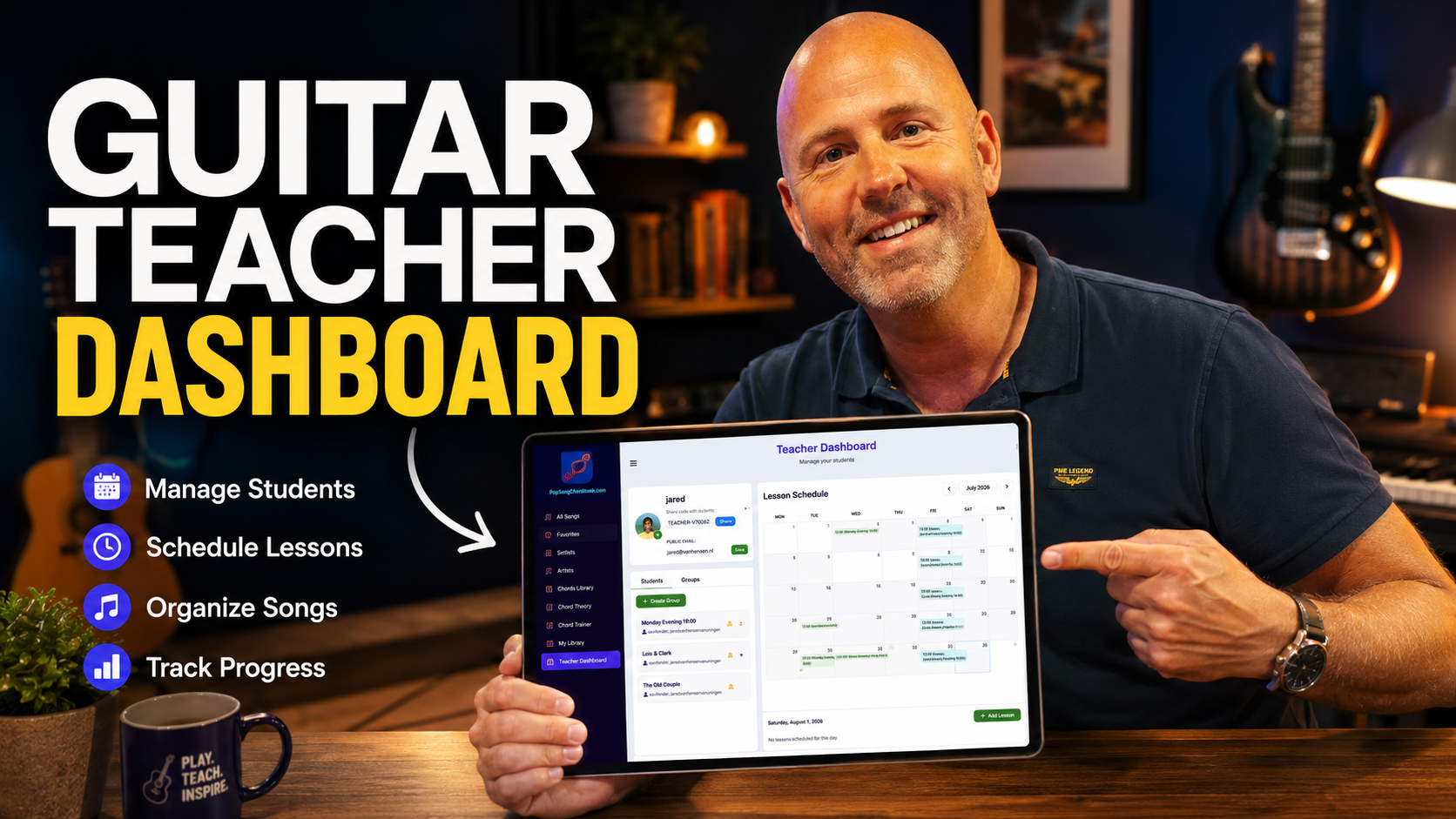
PopSongChordBook Teacher and Student System Overview Thumbnail
πŸ‘₯

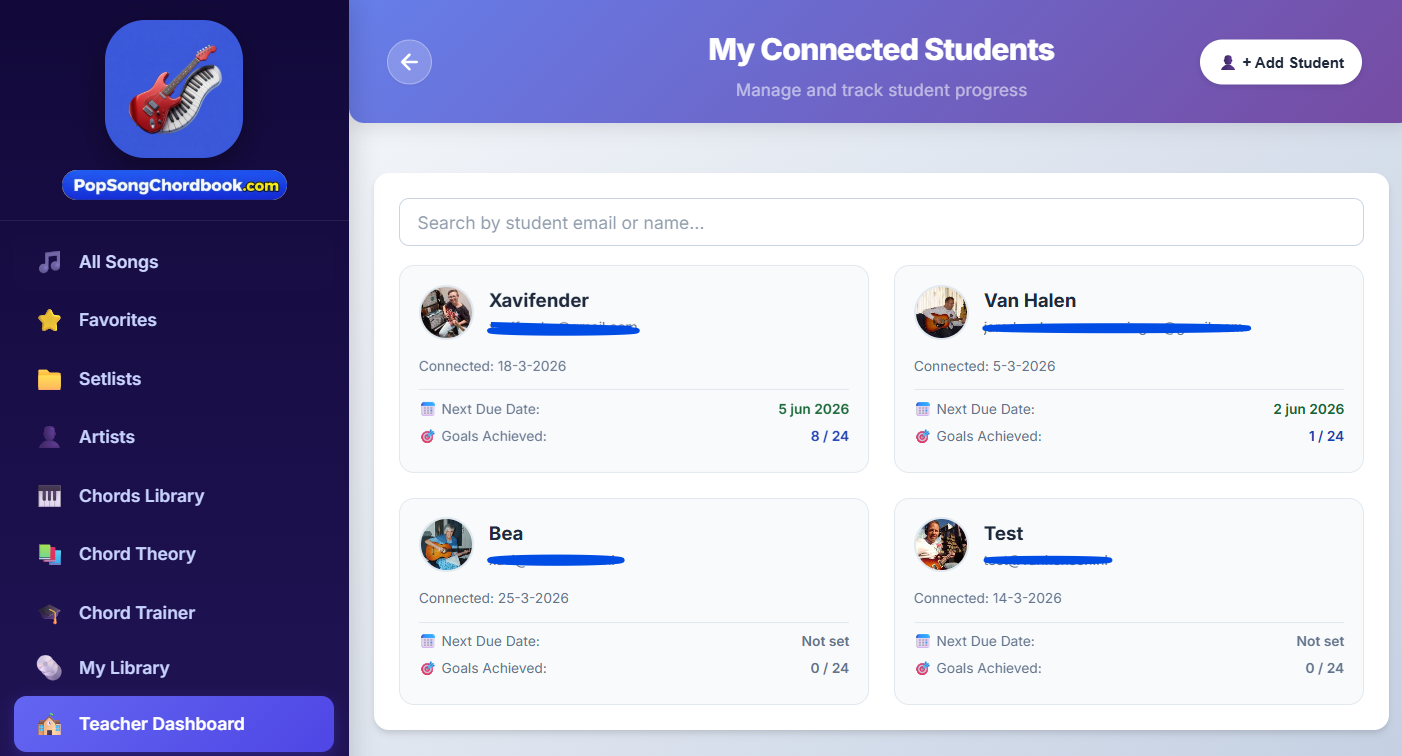
Connected Students

Invite students with a single click and organize individual or group lessons.

🎯

Goal & Homework Tracking

Assign weekly homework and track practice counts with performability stats.

πŸ“

Timeline Notes & Tips

Pin custom fingering, strumming, and theory notes directly to chord blocks.

πŸ”„

Synchronized Playalong

Control scrolling chords simultaneously on teacher and student screens.

The Teacher Dashboard: Streamline Your Studio Management

Keep your entire music teaching studio organized in one place. Schedule weekly lessons, manage student rosters, assign curated pop repertoires, and monitor student execution between lessons.

Total Visibility Over Every Student's Journey

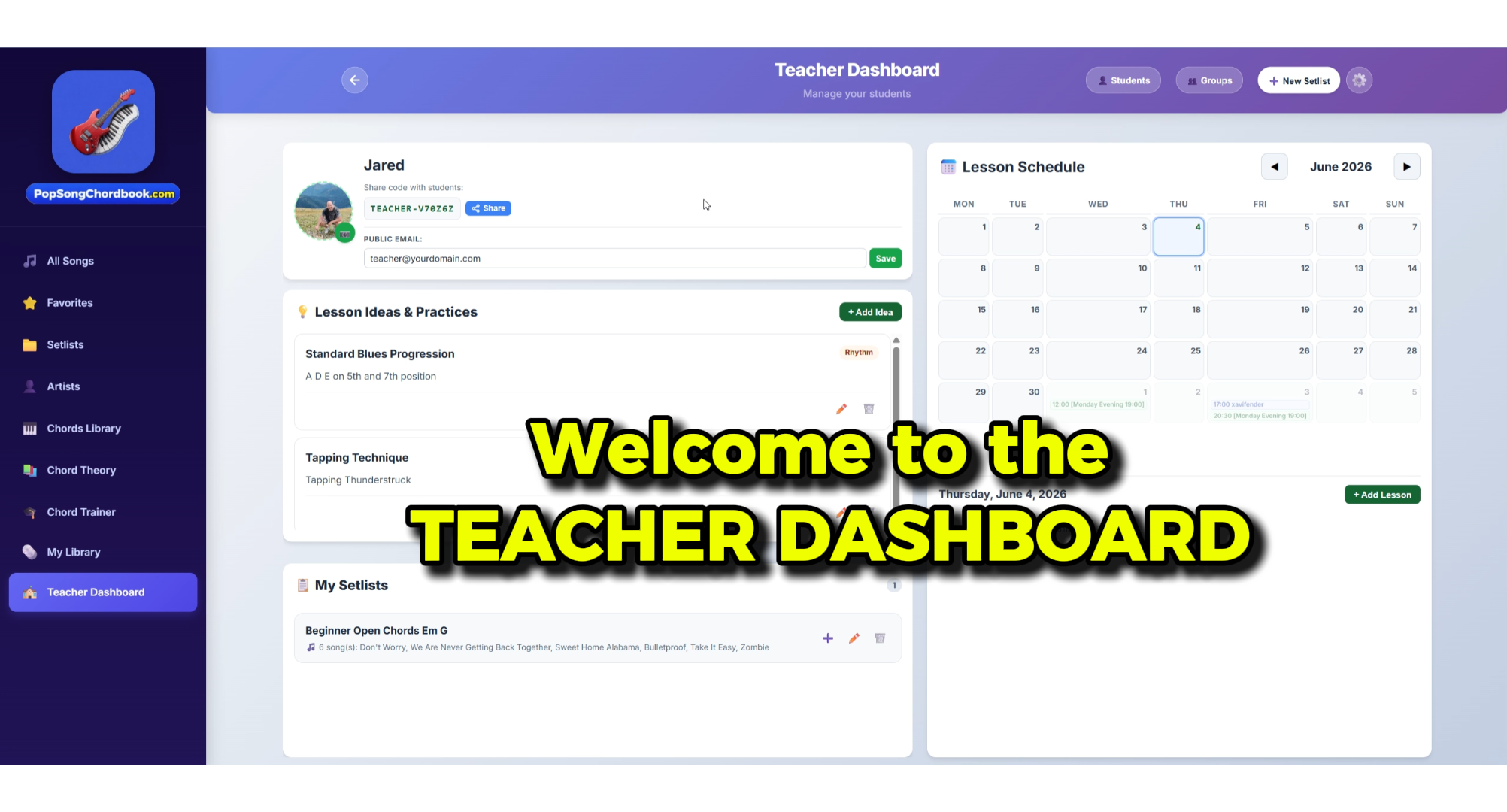
Teachers spend hours organizing printed sheet music, texting homework reminders, and guessing how much students actually practiced. The PopSongChordBook Teacher Dashboard centralizes everything:

  • βœ“
    Manage All Connected Students:

    Easily connect with your students using a simple invite link. Organize students individually or in band/ensemble groups.

  • βœ“
    Assign Lessons & Calendar Scheduling:

    Schedule upcoming lesson times, log attendance, and prepare tailored song setlists for each student's current skill level.

  • βœ“
    Set Specific Goals & Homework:

    Assign clear practice milestones (e.g. "Learn Verse 1 at 85 BPM", "Master switching between C and G") that students see as soon as they open the app.

  • βœ“
    Custom Teacher Notes:

    Save private teacher notes on student profiles or public instructional tips attached directly to songs.

Go to Teacher Dashboard →
PopSongChordBook Teacher Dashboard with Student Management, Calendar and Lesson Setlists
πŸ” Click to inspect Teacher Dashboard overview

Connect with Students in Seconds

Students don't need complicated setups. Whether practicing directly in any modern web browser or using the official Android App from the Google Play Store, they simply accept your teacher connection request and their dashboard instantly links to your studio.

  • βœ“
    Web Browser & Android App:

    Students can connect from any laptop, iPad, or Chromebook via the web, or download the official Android App on Google Play for mobile and tablet practice.

  • βœ“
    Student Roster at a Glance:

    Instant list of all active students with lesson days, scheduled times, and assigned repertoires.

  • βœ“
    Direct Repertoire Sharing:

    Push songs, custom arrangements, and lesson notes directly to your student's account with one click.

GET IT ON Google Play
PopSongChordBook Connected Students Roster and Invitation Screen
πŸ” Click to inspect Connected Students Management

The Student Dashboard: Making Practice Fun, Clear & Motivating

When students sit down with their instrument, they immediately know what to play. No confusion, no lost binders, and no boredom.

A Dedicated Practice Hub Built for Fast Progress

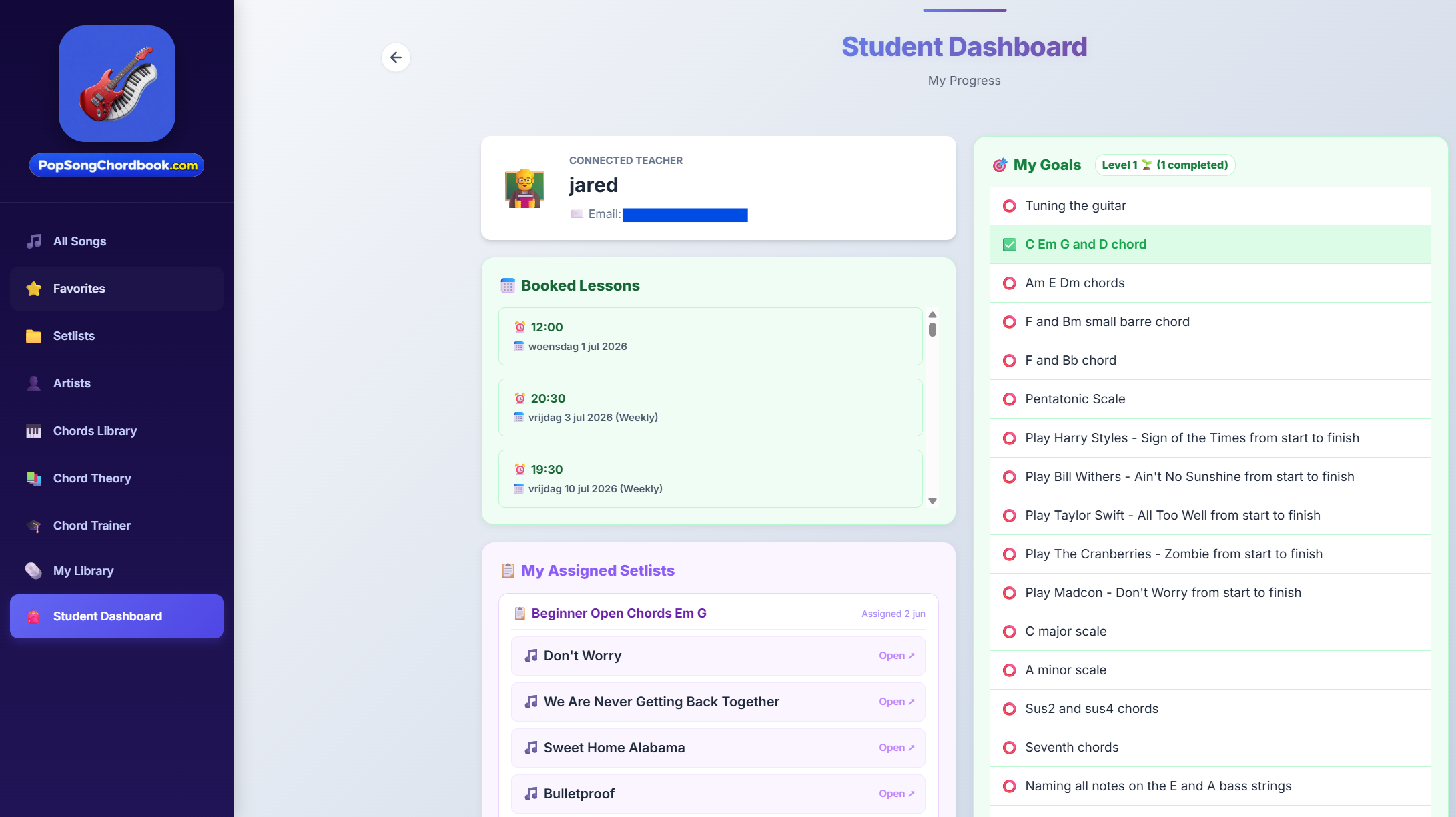
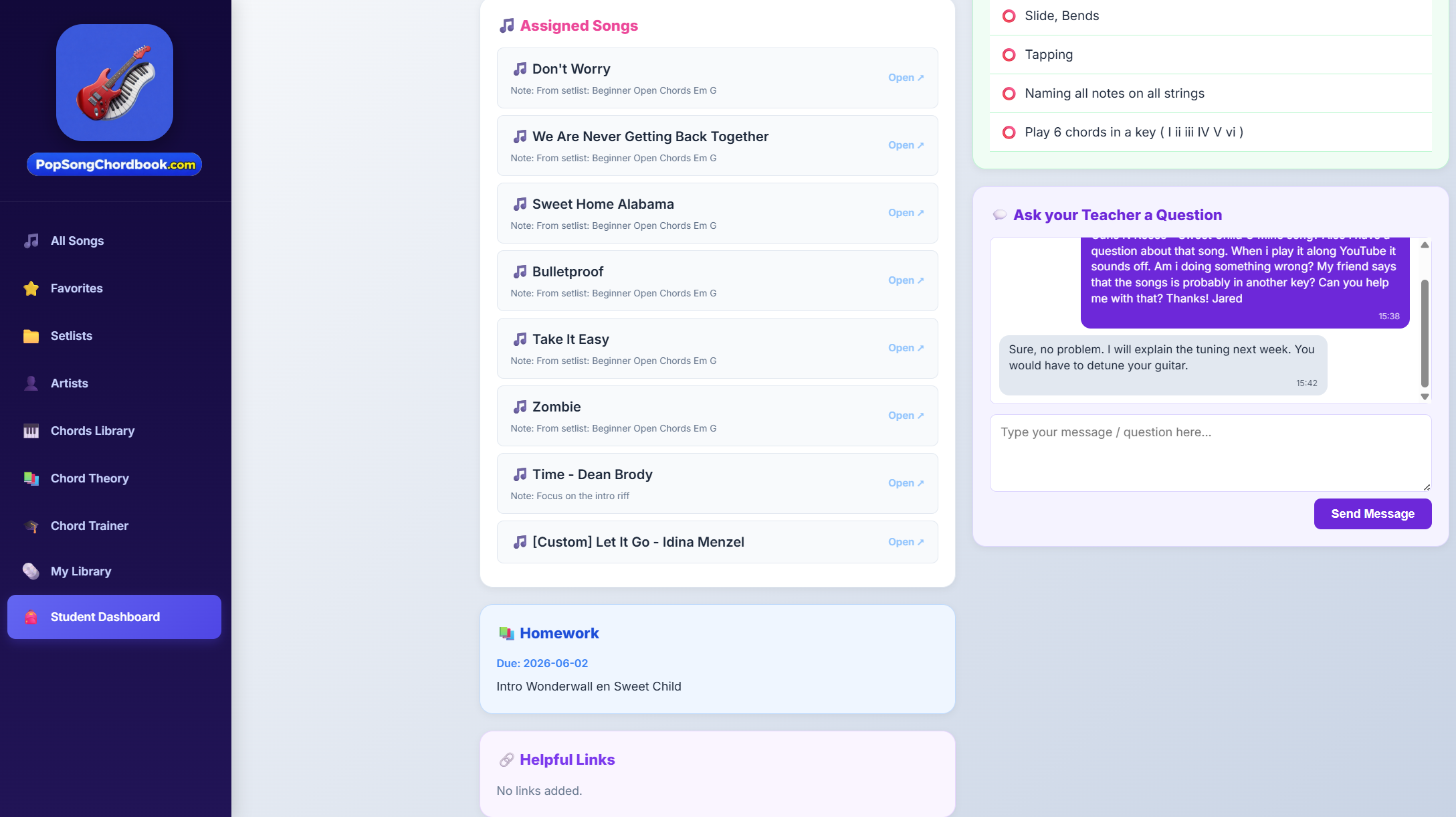
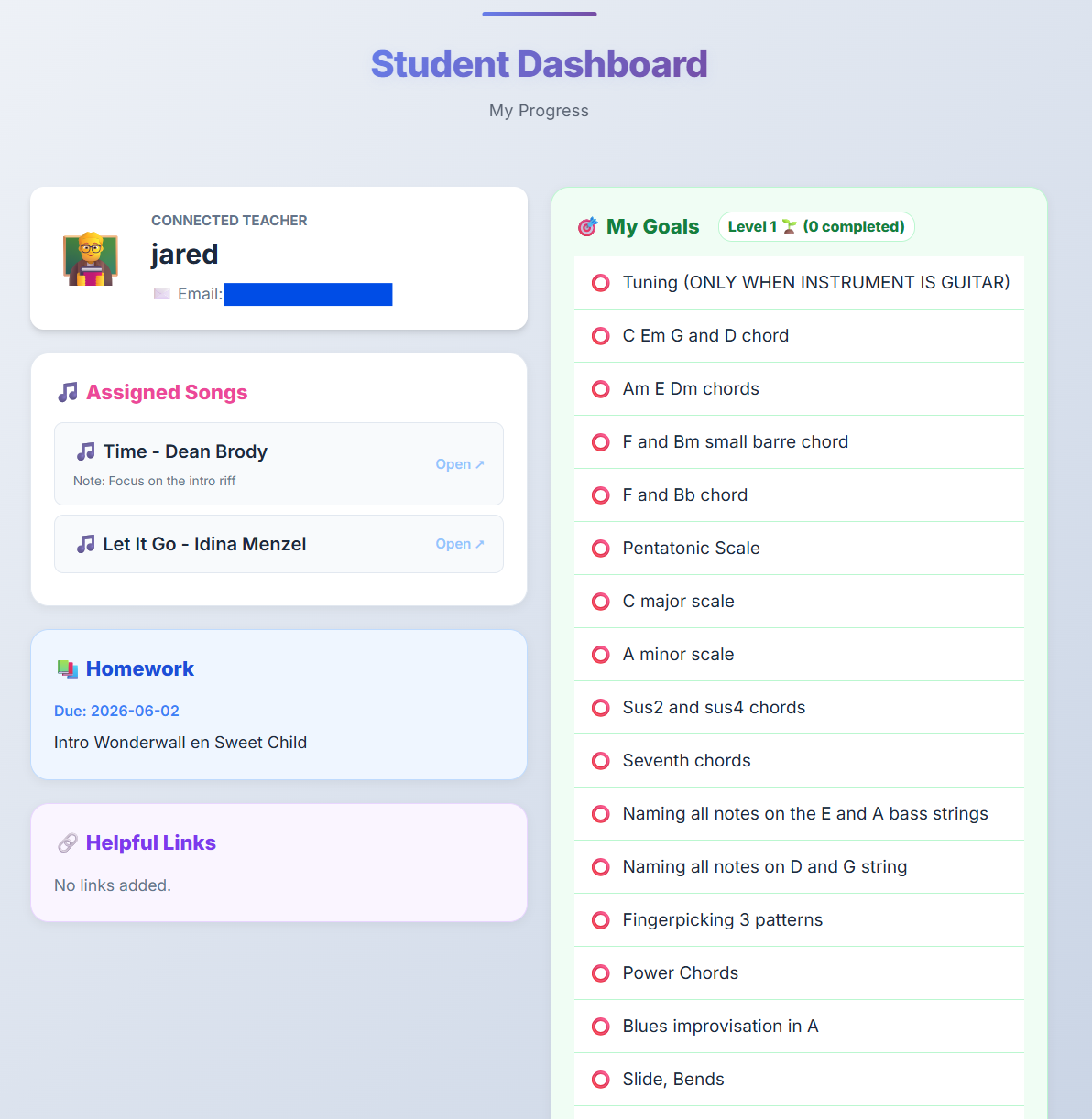
The Student Dashboard gives students immediate clarity on their weekly assignments and turns repetitive practice into an engaging, structured experience:

  • βœ“
    Assigned Homework at the Top:

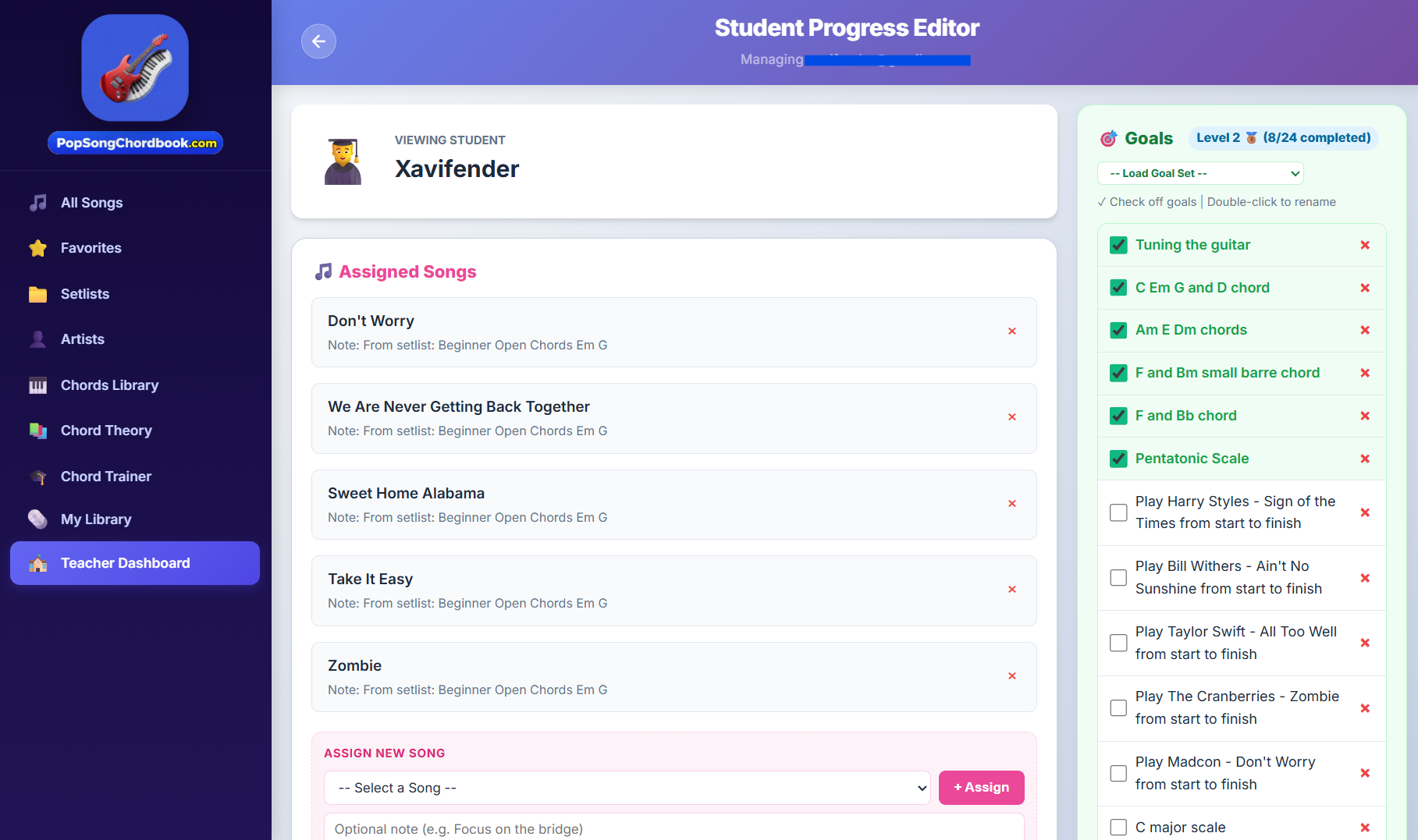
    Students instantly see the songs and exercises their teacher assigned for this week, complete with tempo targets and specific advice.

  • βœ“
    Goal Tracking Checklist:

    Break down big songs into manageable micro-goals. Students check off milestones as they master each verse or chord progression.

  • βœ“
    Built-in Practice Counter:

    Every play-through counts! Automatic practice tracking records how often songs are rehearsed, encouraging daily consistency.

  • βœ“
    1-Click Playalong with Scrolling Chords:

    Click any song on the dashboard to immediately open the interactive scrolling chord timeline synced to YouTube audio.

Open Student Dashboard →
PopSongChordBook Student Dashboard showing assigned songs, goals, and practice metrics
πŸ” Click to inspect Student Dashboard view

Keep Track of Student Progress with Real Numbers

Never rely on vague student memory. PopSongChordBook logs tangible practice data so both teacher and student see real improvement over time.

PopSongChordBook Student Progress Tracker showing performability ratings, practice counts, and song notes
πŸ” Click to inspect Student Progress and Rating system

Track Performability, Practice Counts & Mastery

Every piece assigned has a granular progress profile. Teachers and students can monitor:

  • β˜…
    Performability Rating (1 to 5 Stars):

    Rate how confident the student is with a piece. From "Learning Chords (1β˜…)" to "Full Fluency with Band (5β˜…)".

  • πŸ”’
    Actual Practice Count:

    See exactly how many times the student rehearsed the song during the week. High practice counts celebrate dedication; low counts pinpoint roadblocks.

  • 🎯
    Goal Completion History:

    Historical log of achieved goals gives students a huge sense of accomplishment over months of lessons.

  • πŸ’¬
    Student & Teacher Feedback:

    Exchange notes on specific technical hurdles, tempo adjustments, or upcoming recital pieces.

The Complete Feature Set Built for Music Educators

Every tool is engineered to solve the real daily challenges music teachers face in private studios, schools, and online tutoring.

πŸ“

Timeline Notes on Every Song

Attach instructional notes directly to the Scrolling Chord timeline at exact bars or sections (Intro, Verse, Chorus, Bridge). Students see your exact advice right when the chord approaches on screen.

πŸ’¬ "Keep index finger anchored here" β€’ "Use D-D-U-U-D-U strumming"
✨

One-Click Chord Simplification

Beginners don't have to wait months to play their favorite pop hits. Toggle chord simplification to convert intricate jazz or extended chords into easy core triads so students can play right away.

C instead of Cmaj7 β€’ G instead of Gadd9 β€’ Em instead of Em7
🎸

Smart Capo Transposer

Instantly eliminate difficult barre chords for beginners. The intelligent Capo calculator converts difficult sharp/flat keys into friendly open cowboy chords with the capo on fret 1, 2, or 4.

Play C - G - F instead of G# - C# - F# (Capo 1st fret)
πŸ”„

Synchronized Device Playback (Band Practice Mode)

Play scrolling chords synchronously across multiple devices in real-time! The teacher or band leader controls playback from their laptop or iPad, and the student's device scrolls in perfect unison. Ideal for online Zoom/Meet lessons and student ensembles and band practice.

Realtime synced Chord Timeline across teacher & student screens
πŸ“š

Structured Homework Assignment

Never hear "I forgot what to practice" again. Assign weekly homework with specific tempo goals, chord changes, and video playalong targets that remain pinned to the student's dashboard.

Clear weekly targets and goals
🎯

Assignable Practice Goals

Set achievable milestone goals for each song: learning the intro, mastering the bridge transition, or playing along with the full YouTube track without hesitation.

Visual checklist with instant dopamine for completion

Traditional Music Teaching vs. PopSongChordBook

See how modernizing your lesson workflow saves hours of prep time and dramatically boosts student retention.

Feature Traditional Paper / Notebooks PopSongChordBook Studio
Homework & Assignments Handwritten notebooks often lost or forgotten at home Always accessible 24/7 on student's phone, tablet, or PC
Practice Accountability "I practiced 5 times, promise!" (unverifiable) Real practice play counts and performability star ratings
Playing Along with Music Awkwardly juggling Spotify/YouTube on one device and paper on music stand Integrated YouTube player auto-synced with Scrolling Chord timeline
Song Customization & Capo Manually rewriting chords by hand for beginners Instant 1-click Chord Simplifier & Smart Capo transposer
Teacher Lesson Notes Pencil scribbles on margins that get smudged or ignored Pin-point digital timeline notes right above the chord blocks
Remote / Online Lessons Clunky screen sharing with lag, students losing their place Real-time device sync (Band Practice Mode) keeps screens in lockstep
Song Library Limited to what you printed or photocopy binders Over 700+ interactive pop & rock classics ready instantly

Questions Music Teachers Ask Us

πŸ’° Is PopSongChordBook free to use?

Yes! PopSongChordBook provides free access to interactive scrolling chords, beginner lesson methods, and song libraries for both teachers and students.

πŸ“± What devices does it work on?

It runs seamlessly on any device with a modern web browser (iPad, iPhone, Mac, Windows PC, Chromebooks) and on mobile with the official Android App from Google Play.

πŸ‘₯ How do students connect with me?

In your Teacher Dashboard, you have a unique Teacher ID and direct invite link. Share this link with your students, and once they accept, their dashboard automatically connects to yours.

🎸 Can I use it for Piano, Keyboard, Guitar, and Ukulele?

Yes! PopSongChordBook includes interactive chord overlays and visual voicing diagrams for piano/keyboard, guitar, and ukulele. You can switch instruments with a single tap.

🎼 Can I add my own custom songs?

Absolutely. You can import MIDI files, load songs via our Super Extractor, or create custom chord progressions with specific tempo, capo, and section markers for your students.

πŸ”„ How does device sync work during online lessons?

Our real-time Band Practice Mode uses lightweight cloud sync. When you start the timeline or pause on your teacher device, the connected student's screen moves simultaneously, making Zoom or Google Meet lessons feel like you're in the same room.

Ready to Modernize Your Music Studio?

Join forward-thinking music instructors who are saving hours of prep time and keeping their students excited, engaged, and practicing consistently.